stm32-demo
一、前置准备
| 项 | 备注 |
|---|---|
| 操作系统 | Windows 11 25H2 |
| 编辑器 | Zed |
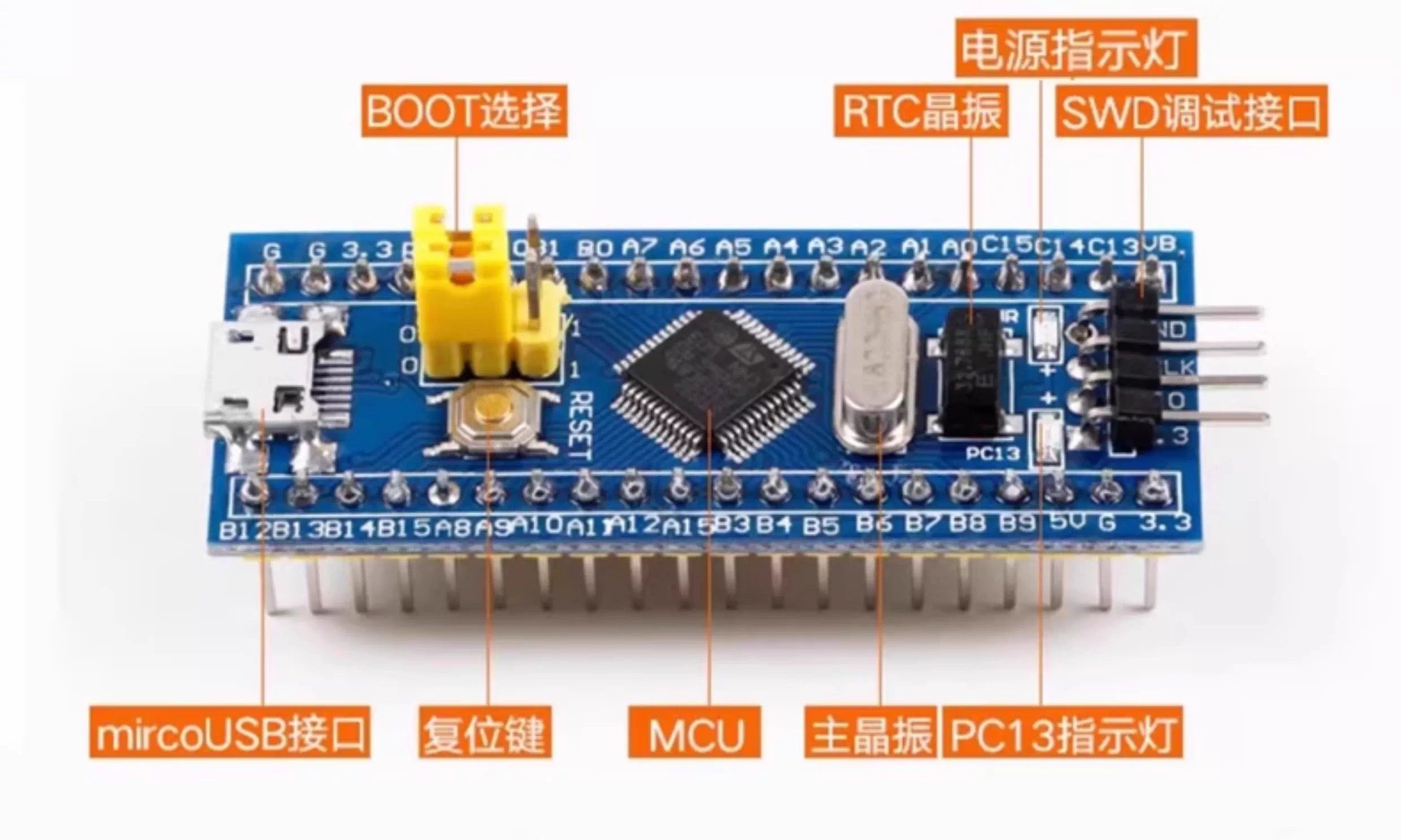
| 目标芯片 | STM32F103C8T6 |
| 仿真器 | CMSIS-DAP |
开始之前请确保你的电脑已经安装了:Rust 和 arm-none-eabi-gcc
1.1 安装 cargo-binutils
rustup component add llvm-tools
cargo install cargo-binutils
1.2 安装 cargo-embed
cargo install probe-rs-tools1.3 安装 嵌入式编译工具链
rustup target add thumbv7m-none-eabi二、拉取代码
git clone git@github.com:pcdeng/stm32-demo.git
四、接上调试器

编译并烧录
cargo embed正常的话,会输出
    Finished `dev` profile [unoptimized + debuginfo] target(s) in 0.13s
      Profile default
       Target D:\projects\rust\stm32-demo\target\thumbv7m-none-eabi\debug\stm32demo
      Erasing ⠁   0% [--------------------]
      Erasing ✔ 100% [####################]  28.00 KiB @  11.04 KiB/s (took 3s)
  Programming ✔ 100% [####################]  28.00 KiB @   7.50 KiB/s (took 4s)                                                                                                             Finished in 6.28s
        Done processing config profile default
验证
如果一切正常 PC13指示灯,间隔 1s 闪烁。
参考资料
Rust嵌入式开发入门 强烈推荐,作者解说得非常详细。